Add Payment Links to Your Digital Card (MENA Guide)

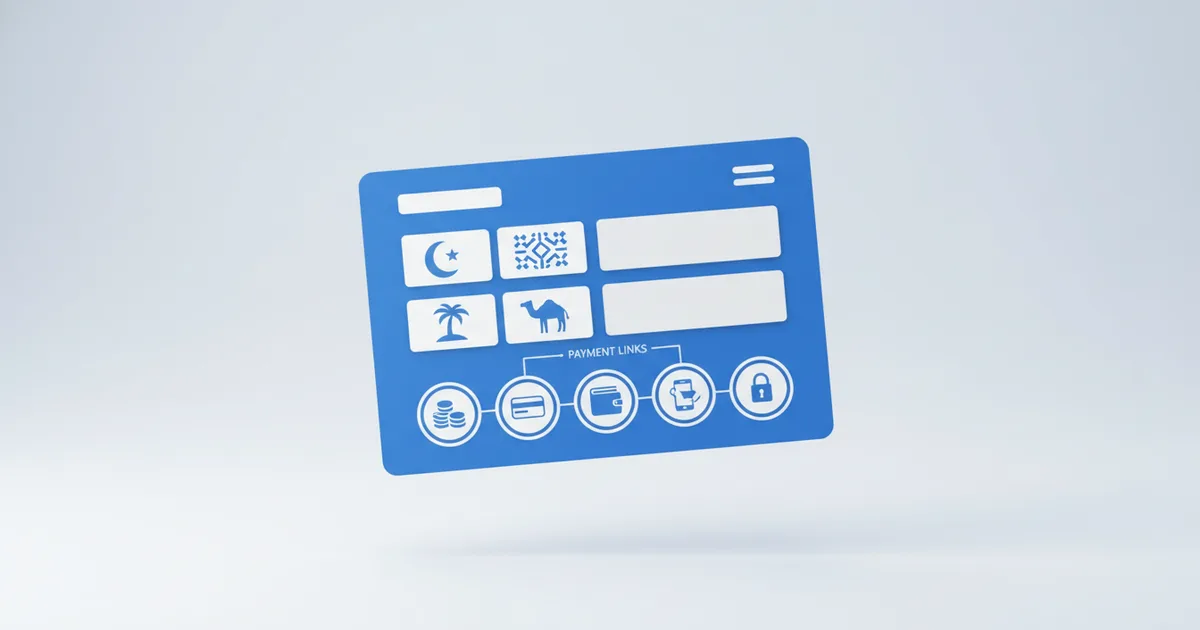
To add a payment link to your digital business card: generate a link from your payment provider (STC Pay, PayTabs, Fawry, MyFatoorah, or even your bank's IBAN page), then add it to your card as a button labeled after the service, like "Pay for Consultation". On a Scaanme digital business card this takes about two minutes, and Scaanme takes zero commission: the customer goes straight from your card to your provider's secure page, and the money settles to you directly.
That is the whole mechanism. The rest of this guide covers which payment rails to use in each MENA country, the three setup patterns that work, and how to cut a ten-message payment chat down to two taps.
Why Payment Links Belong on Your Card
Most professionals in the Middle East still close sales inside a chat: "How much?", a price, an IBAN typed by hand, a screenshot, a bank app check. Every extra message loses buyers. A payment link on your card removes the back-and-forth because the price and the pay button sit next to each other before the conversation even starts.
A price without a pay button is a conversation; a price with a pay button is a checkout.
Regional Payment Methods by Country
Saudi Arabia
| Method | Type | Ideal for |
|---|---|---|
| STC Pay | Mobile wallet | Small purchases, fast transfers |
| Mada | Debit card network | Standard retail payments |
| PayTabs | Payment gateway | E-commerce, recurring billing |
| HyperPay | Payment gateway | Medium to large merchants |
| Bank transfer (IBAN) | Direct | B2B and large amounts |
Jordan
| Method | Type | Ideal for |
|---|---|---|
| CliQ | Instant payments (alias or IBAN) | The default person-to-business rail |
| eFAWATEERcom | Government payment portal | Bills and services |
| Orange Money | Mobile wallet | Consumer payments |
| PayTabs | Gateway | Online merchants |
CliQ deserves the top row: Jordan's instant payment system processed JD 8.8 billion across 70.66 million transactions in the first half of 2025 alone, and roughly two million Jordanians now use it. If you serve Jordanian customers, "my CliQ alias is on my card" is the fastest way to get paid.
Egypt
| Method | Type | Ideal for |
|---|---|---|
| Fawry | Cash and digital payments | The widest acceptance in Egypt |
| Vodafone Cash | Mobile wallet | Consumer purchases |
| InstaPay | Bank transfer | Instant bank-to-bank |
| Paymob | Payment gateway | SME e-commerce |
Fawry's reach explains why it leads the table: the company reported around 54.5 million customers served monthly in its FY2025 results. An Egyptian customer who sees a Fawry code on your card already knows exactly what to do with it.
Kuwait
| Method | Type | Ideal for |
|---|---|---|
| KNET | Domestic debit network | Standard purchases |
| MyFatoorah | Payment gateway | Online commerce |
| Tap Payments | Gateway | Multi-currency online |
| Bank transfer | Direct | B2B |
UAE
| Method | Type | Ideal for |
|---|---|---|
| Apple Pay / Google Pay | Digital wallet | Fast checkouts |
| Tap Payments | Gateway | Multi-currency |
| PayTabs UAE | Gateway | SME and enterprise |
| Bank transfer (IBAN) | Direct | B2B and large amounts |
For a deeper UAE-only walkthrough, including license and VAT basics and provider selection, see the complete UAE payment links guide.
Three Ways to Set It Up
Option 1: Gateway payment link as a card button
Most regional gateways (PayTabs, Paymob, Tap, MyFatoorah) generate a hosted payment page for a fixed or custom amount.
- Create the payment link in your gateway dashboard
- Copy the URL
- Add it to your Scaanme card as a button: "Pay Now" or "Purchase [Service]"
Option 2: WhatsApp store plus manual payment
No gateway account? This flow works for any business: the customer browses your WhatsApp store, sends the order in WhatsApp, you reply with your payment details (CliQ alias, STC Pay ID, Fawry code, or IBAN), and they confirm with a receipt. Less automated, zero setup cost.
Option 3: Fixed-price package links
| Service | Price | Button label |
|---|---|---|
| Consultation (60 min) | 200 SAR | "Book and Pay Consultation" |
| Design package | 500 SAR | "Purchase Design Package" |
| Monthly retainer | 1,500 SAR/mo | "Start Monthly Retainer" |
Each button opens the matching payment page. The customer pays, you get notified, the work starts.
A Worked Example: Freelance Designer in Riyadh
A UI/UX designer in Riyadh lists three packages on her card: a landing page at 800 SAR and a logo package at 1,200 SAR, both wired to PayTabs payment pages, plus a brand identity package at 3,500 SAR wired to a scoping-call booking instead, because its scope varies. The two fixed packages now get paid without a single phone call, and the card carries the whole storefront: prices, proof of work, and payment in one link.
Reducing Payment Friction, Measured
The old flow: price request, quote, payment method question, instructions, screenshot, confirmation. The card flow: customer sees the price on the card, taps the button, pays, you get a notification. Two taps replace an entire chat thread, and it works while you sleep, which matters for the professional whose customers shop at midnight.
FAQ
Does Scaanme take commission on payments?
No. Zero commission, always. Scaanme displays your payment links; the transaction runs entirely between your customer and your payment provider. Plans are flat: free plan available, paid plans from $8/month, detailed on the pricing page.
Can I accept STC Pay, KNET, or Fawry through my card?
Yes, by linking them. Add your STC Pay transfer details, a MyFatoorah or KNET-backed payment page, or your Fawry code as buttons or text on your card. The card is the display layer; the rails are yours.
Do I need a payment gateway to sell through a WhatsApp store?
No. Many sellers run entirely on manual payments: the order arrives in WhatsApp, you send your CliQ alias or wallet number, the customer transfers and sends a receipt. A gateway just automates the confirmation step.
Which payment method should a freelancer in Jordan list first?
CliQ. It is instant, has no meaningful fees for personal transfers, and most of your customers already have it in their banking app.
Can one card show different payment options for different countries?
Yes. List multiple buttons: a CliQ alias for Jordan, an STC Pay ID for Saudi customers, and a card-gateway link for everyone else. Customers pick the rail they recognize.