Coffee Shop Loyalty: The Wallet Pass Students Actually Keep

Picture a small coffee shop on the walkway that every student takes from the lecture halls to the library. Between a nine o'clock class and a noon seminar, the same student walks past your door four times. That daily footfall is the most valuable asset your shop owns, and most cafes let it evaporate. A wallet loyalty pass is how you turn those walk-bys into a saved habit, without asking a single student to download anything.
Students are the ideal wallet-pass audience. Their phone is already in their hand, they will not install a separate app for one cafe, they cross a compact campus a dozen times a day, and they are creatures of habit on a tight budget. Give them a reason to save your card once, and you earn a spot on the one screen they check between every class.
Why the wallet, and why now
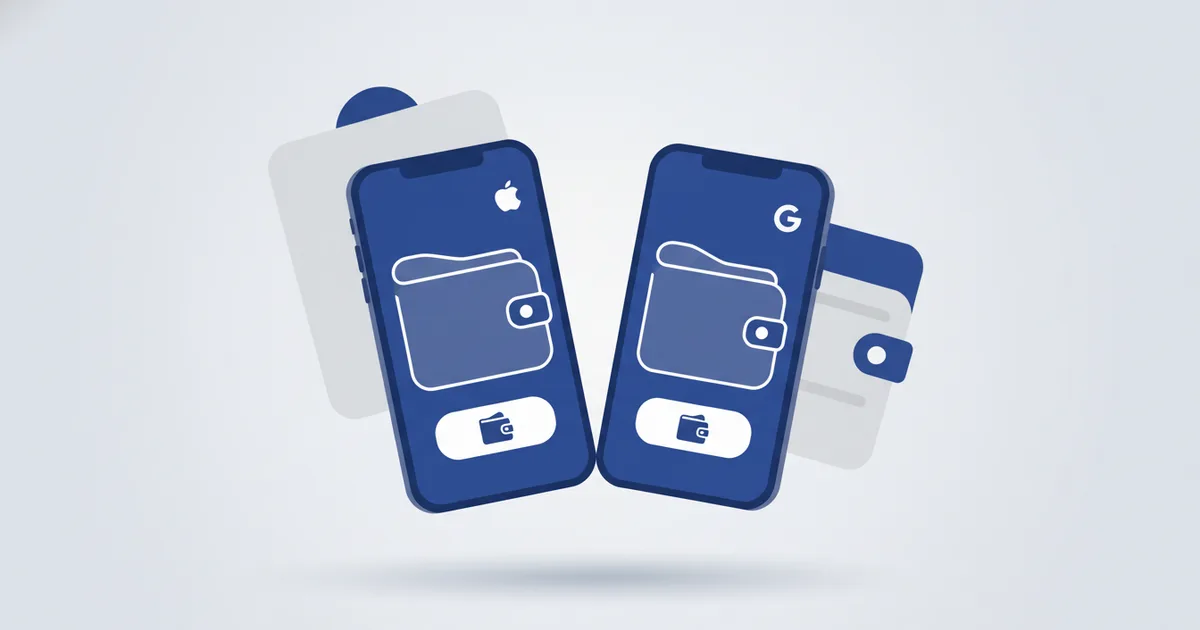
A wallet pass lives in Apple Wallet or Google Wallet, right beside the student's campus card and boarding passes. Saving it takes a single tap and needs no app and no signup on either side, through the standard Add to Apple Wallet and Save to Google Wallet buttons. Once it is saved, you own a re-engageable audience of people who already chose you, and you can re-engage everyone who saved your pass whenever it counts.
The reach is real. Early 2025 figures put Saudi Arabia at 99.0% internet penetration with 48.1 million mobile connections, about 140% of the population (DataReportal Digital 2025 Saudi Arabia), and the UAE at 99.0% penetration too (Digital 2025 UAE). Egypt counts 116 million mobile connections (Digital 2025 Egypt), and Jordan sits at 92.5% internet penetration (Digital 2025 Jordan). A student body on a Gulf, Egyptian, or Jordanian campus is a near-universal smartphone base, and every one of those phones already ships with a wallet built in.
The four plays that actually convert students
1. Save-to-Wallet at the counter, with an instant reward
Print a QR on the cup sleeve, put one on every table, and blow one up on your freshers-week poster. The line reads, "Scan, save the card, first refill on us." One tap adds your pass to the phone, with no app-store detour and no email form. Each save becomes part of an audience you own and can reach again, which is the entire point. Here is the wallet pass setup guide.
2. The between-classes Nearby Offer
Set your shop location on the pass and add a short offer. When a saved student takes the path to the library and comes within roughly a hundred meters of your door, an iPhone surfaces your exact message right on the lock screen. This is the doorstep moment, the single instant that converts, when the customer is close enough to walk straight in rather than a vague city-wide ping. Apple's own pass documentation describes surfacing a pass on the lock screen when the device is near a location "on the order of a hundred meters or closer" (Apple PassKit locations). The platform decides that trigger distance, which is exactly why it fires at the right spot every time.
On iPhone the student sees your exact words. On Android, Google adds its own nearby reminder for holders who switched on Google Wallet location. Either way, only students who already saved your card ever see it, so this is a nearby offer that reminds saved customers to walk in, never an ad shown to strangers. The full setup lives in the nearby offer guide.
3. A Holder Broadcast to kill the 3pm lull
It is a quiet Tuesday. The lunch rush is gone and the evening study crowd has not arrived. Compose one broadcast to everyone holding your pass, "Next 2 hours, buy one gift one, bring your study buddy." The message stamps onto every saved pass and appears as a lock-screen notice with an Updates line on the back of the card. Apple delivers it as a background push that tells each device to pull the fresh pass (Apple pass updates), and Google attaches the message immediately for everyone who saved the card (Google Wallet AddMessage). Because it reaches only students who chose to save your card, it is the highest-intent list you will ever message. The mechanics are in the broadcast guide.
The standard cadence is one broadcast per card per day and four per week, with a sixty-minute cooldown, and higher plans can lift those ceilings. That built-in restraint is a feature, not a limit. It keeps every message a welcome favor, so students stay subscribed instead of muting you.
4. Exam season: one edit, midnight hours for everyone
The week before finals, edit your card's hours once to "open till midnight." Every saved pass updates silently, with no notification spent, so the correct hours are simply there the moment a student checks. Then, the night before the first exam, send one broadcast, "Open till 12 all week, quiet corner upstairs, first americano half price after 9." One silent edit plus one message turns your cafe into the obvious study base for an entire cohort.
Why this beats apps, Instagram, and punch cards
A loyalty app is a non-starter. No student installs an app for a single cafe, and the few who do delete it by month's end. An Instagram post reaches only a sliver of your followers, and only whenever the feed decides to show it. A paper punch card is lost by Thursday. The wallet pass wins because it is permission-based. The student opted in by saving it, the pass sits on the phone for free, and your message lands on the exact device they already check between classes. You are not buying attention from strangers, you are keeping a promise to people who already like you. It is also why it keeps working where tracking-based ads get blocked. Your shop never sees anyone's location, and the reminder runs privately on the student's own phone.
It generalizes to any cafe or restaurant
Swap the campus for an office tower, a mall food court, or a residential block, and the same four plays hold. Save-to-Wallet at the table, a nearby offer for the regulars who pass by, a broadcast to fill a slow hour, and a silent hours edit for Ramadan or a public holiday. Any cafe can add a loyalty wallet pass diners keep on their phone, and any coffee shop can run the same loyalty wallet pass. When saves start climbing, that is your cue to send holders a broadcast. Pricing for broadcasts and nearby offers lives on the pricing page.
FAQ
How do I create a digital loyalty card without an app?
Build one wallet pass that carries an Add to Apple Wallet button and a Save to Google Wallet button. The customer taps once and the card lands in their phone's wallet, with no app to install and no signup on either side. Every saver becomes an audience you can re-engage later, which is what makes it a loyalty tool rather than a static card.
Can I send one message to everyone who saved my digital card?
Yes. A Holder Broadcast writes your message onto every saved copy of that card and surfaces it as a lock-screen notice, with an Updates line on the back of the pass. It reaches only the people who saved that specific card, which makes it the highest-intent list you own. It cannot be recalled once sent, so write it once and send it with intent.
Can a wallet pass notify a customer when they are near my shop?
Yes, through the Nearby Offer. Set your shop location on the pass, and when a saver comes within roughly a hundred meters, an iPhone shows your exact offer on the lock screen. Android shows Google's own nearby reminder to holders who allowed Google Wallet location. Your shop never receives anyone's location, because the reminder runs privately on the customer's own phone.
How many notifications can I send to wallet pass holders per day?
The standard default is one broadcast per card per day and four per week, with a sixty-minute cooldown between sends. Higher plans can raise those ceilings. The measured cadence is deliberate restraint that keeps every message welcome, so holders stay subscribed rather than muting you.
Do wallet passes work in Saudi Arabia, the UAE, Egypt, and Jordan?
Yes. Apple Wallet and Google Wallet are built into the phones already in your customers' pockets across all four markets. Early 2025 figures show Saudi Arabia and the UAE both near 99.0% internet penetration, and Egypt with 116 million mobile connections, so almost every customer can save a pass with one tap.